
Here we are sharing with you some information that you need to know before you buy a computer system. The foremost decision criteria for selecting a personal computer are:
1. PC, Mac or Linux
2. Ergonomics (people machine relationship)
3. Desktop or Laptop
4. Where to buy
suggesting
PC, Mac or Linux : The primary decision is whether to purchase a Windows PC, a Macintosh or a Linux machine. The estimated data shows that Windows has approximately 92% of the desktop market; Mac has 5% and Linux 3%.
The utmost advantage of the Windows world is the large number of PC vendors and software program to select from. You can buy a PC from major companies such as Dell, HP, IBM and Gateway as well as from several small dealers.
In case of the Macintosh, software is available that may sufficiently satisfy all your requirements. The two major drawbacks of the Mac are (1) new software programs are designed for Windows first, and maybe for the Mac later, and (2) there may be difficulty if you have to swap certain kinds of data back and forth between Windows users.
A Linux PC is a standard PC running the Linux operating system. Installing Linux requires supporting a Unix environment. This appeal to both individuals and organizations who have the required technical skills and choose not to run Windows.
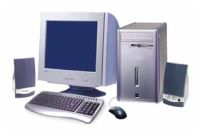
Ergonomics: A computer user interacts with the system via keyboard, mouse and screen, and these three human/machine interfaces are critical. There are a number of keyboards available in the market, but the difference can only be assessed after you write a lot. The mouse is another ergonomic device where one type of mouse can be far more comfortable than another. Lastly, display systems, which are made up of the display adapter (video card) and monitor, vary widely in cost and quality.
Desktop or Laptop: If you need a computer on the road, a laptop may serve both mobile and back-at-the-ranch use. Today, laptops are expandable with USB ports and PC Card slots allowing myriad of extra devices. The only problem may be screen size and keyboard.
Where to Buy: The best place to buy has more to do with the support you need than the system you purchase. If you are new to computers and need spoon feeding, go for local dealers that specialize in service.
After the purchase, computer needs Software, its a set of instructions that cause a computer to perform one or more tasks. Computers cannot do any useful work without instructions from software which runs within hardware; thus a combination of software and hardware is necessary to do any computerized work.
The Software includes mainly three categories: Application software such as a business software, which enables a user to perform a task, System software such as an operating system (e.g Microsoft Windows), which enables other software to run properly, by interfacing with hardware and with other software and Programming software which provides tools to assist a programmer in writing computer programs and software using different programming languages in a more convenient way.
Computer hardware is the physical part of a computer, including the digital circuitry and storage controllers of IDE, SATA, SCSI or other type, that control hard disk, floppy disk, CD-ROM etc.
In the competitive world of Computer’s Software and Hardware, companies are working harder to bring new programs and tools almost daily and providing the updates and upgrades. While, software update automatically informs users of new updates, the hardware upgrade and software upgrade provide the users information about the replacement of any physical part and the software of a computer with a newer one, in order to bring the system up to date.
A term patch update is also introduced in this computing world. This is a small piece of software designed to update or fix problems with a computer program. This update includes fixing bugs, replacing graphics and improving the usability or performance.
The hardware of a computer is not frequently changed, in comparison with software and data, which are "soft" in the sense that they are readily created, updated or erased on the computer.
Now, if you are a business man and want to increase or measure productivity then don’t forget to install business software in your computer. This software program may include accounting software, Office Suites, customer relationship management etc.
Microsoft's software have already pioneered the PC and revolutionized the computer industry. So get the best in the market and happy computing.


Post new comment